Why Replacing Everything at Once Creates Havoc
A common trap in growing organizations is the "all-at-once" hardware trap. A company buys 40 laptops and 80 monitors during a major expansion. For three years, everything works fine. Then, in month 38, battery degradation hits all 40 machines simultaneously, warranty periods expire together, and the company faces an unexpected, massive capital expenditure all in a single fiscal quarter.
Structured technology lifecycle planning replaces that cliff-edge panic with a continuous, predictable rotation. By maintaining a clear asset register and staggering refreshes across rolling annual cohorts (for example, refreshing 25% to 30% of the fleet each year), your technology budget stays level, IT support workloads remain steady, and your team is never left working on obsolete, sluggish hardware.
01. Repair
Economical when physical damage is isolated (e.g., replacement keyboard, new charging port, fresh battery) and the machine is within its primary 3-year performance window.
02. Upgrade
Practical for modular desktop workstations needing increased RAM or expanded NVMe storage to handle growing dataset demands without replacing chassis.
03. Replace
Necessary when processors cannot support updated OS security patches, thermal throttling becomes chronic, or recurring repairs exceed replacement residual value.
04. Standardize
Unifying dock models, monitor power delivery standards, and peripheral cords across all departments to simplify hot-desking and spare parts stocking.
Key Steps in Building a Practical Asset Register
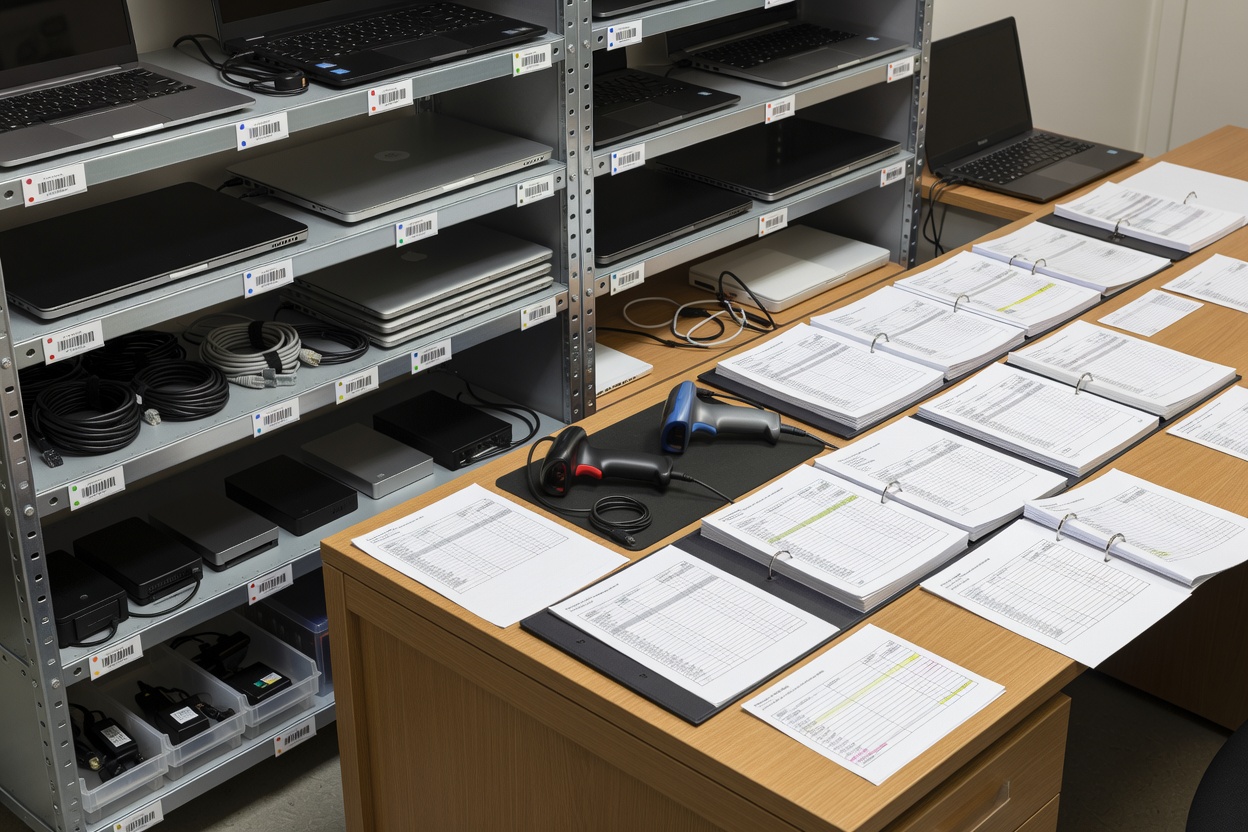
You cannot manage what you do not track. A solid office technology register does not require complex enterprise software; it requires disciplined physical tagging and accurate metadata:
1. Physical Asset Tagging & Baseline Metadata
Every monitor, laptop, conference camera, and switch should bear a clean, tamper-evident asset tag with a serialized identifier. That tag links directly to recorded purchase dates, original warranty terms, assigned user departments, and physical office location.
2. Health and Condition Scoring
During routine maintenance checkups, we assign each asset a simple condition score (Grade A: Prime, Grade B: Minor cosmetic wear, Grade C: Nearing refresh threshold, Grade D: Immediate replacement candidate). This gives leadership clear visual insight into real-world equipment health across the office.
3. Secure Data Sanitization and Responsible Disposal
When devices reach retirement, data privacy is paramount. Hard drives and solid-state storage must undergo certified cryptographic erasure or physical degaussing/shredding. Usable casings and copper cabling are separated for sustainable material recycling, keeping harmful heavy metals out of landfills.
Best Suited For
- Companies with 15+ devices looking to level annual IT spend
- Teams transitioning to standard hot-desking hardware
- Managing warranty expirations before expensive breakdowns occur
- Ensuring compliant, data-safe hardware decommissioning
What to Know
- Standard laptop lifecycles generally average 3 to 4 years
- Commercial monitors frequently deliver 5 to 7 years of service
- Always maintain a 5% to 10% spare hot-swap reserve in storage
- Certificate of data destruction must be retained for legal compliance
Questions to Ask Before Replacing Workplace Hardware
Before signing off on purchase orders for new hardware, we guide teams through four practical assessment questions:
| Assessment Area | Core Question to Answer | Strategic Consideration |
|---|---|---|
| Operating Support | Will this machine receive vendor security updates next year? | Devices cut off from operating system patches become security liabilities. |
| Port Standard | Does this device connect natively to our modern USB-C desks? | Old proprietary barrel chargers create desk clutter and adapter friction. |
| User Productivity | Is boot time, battery degradation, or thermal lag impeding work? | Losing 20 minutes daily to machine slowness dwarfs the cost of a new laptop. |
| Re-deployment Value | Can this machine serve secondary roles (reception / print server)? | Older high-spec laptops can often transition to light duty before retirement. |
Achieving Hardware Predictability
When device replacements are treated as a calm, scheduled operational process, office operations run smoother. New employees arrive to cleanly packaged, standardized hardware, departing team machines are securely wiped within 24 hours, and workplace budgets are never blindsided by sudden wholesale failures.
Ready to audit your office hardware fleet?
We can help you inventory existing devices, evaluate wear levels, and build a phased technology refresh plan.
Request an Asset Review